
Transparency
Our project, our texts and our accounts, open to all
Transparency is one of our five principles: the texts that govern us and the use of every franc are made public.
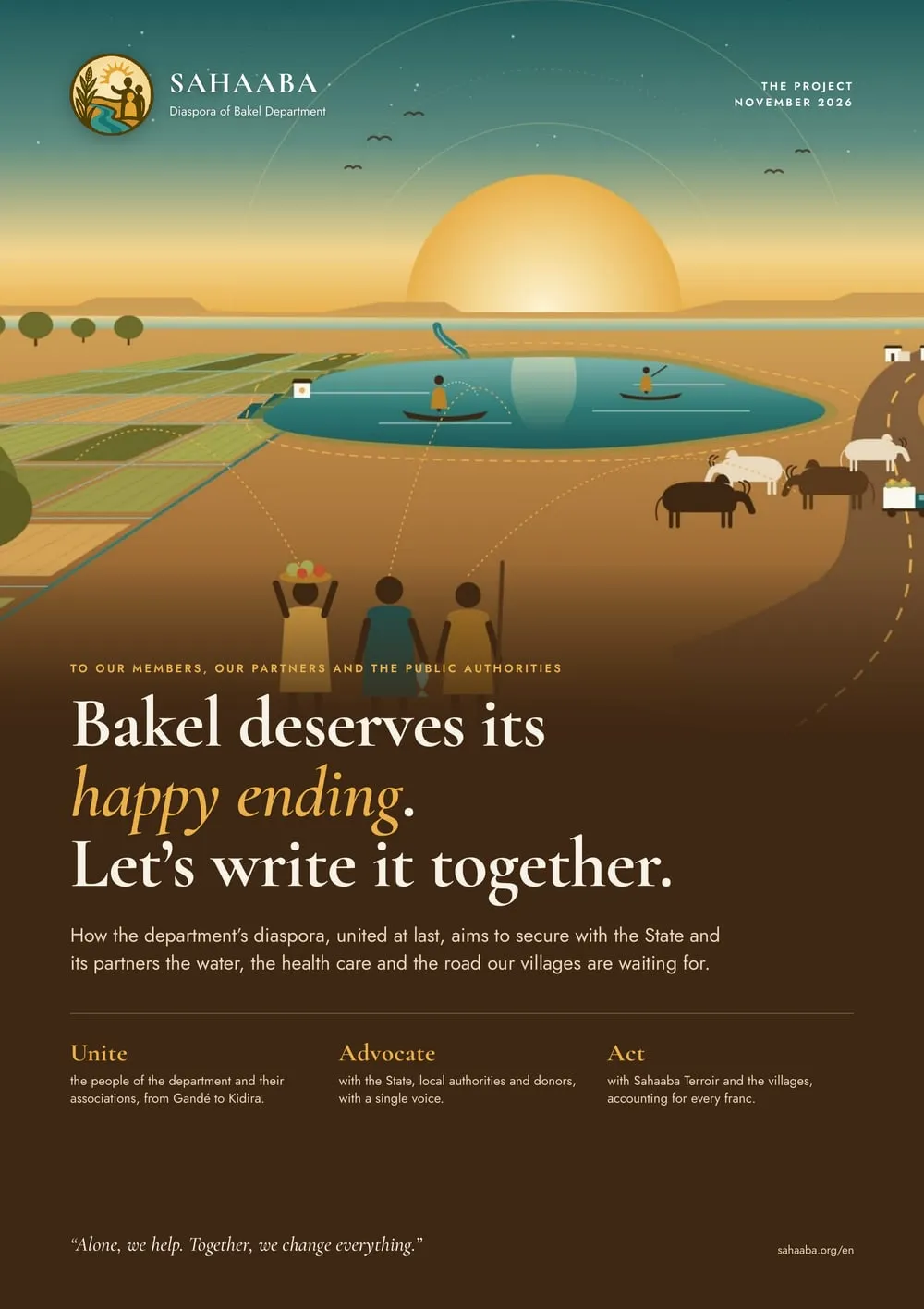
Presentation document · November 2026
The SAHAABA project
“Bakel deserves its happy ending. Let’s write it together.”
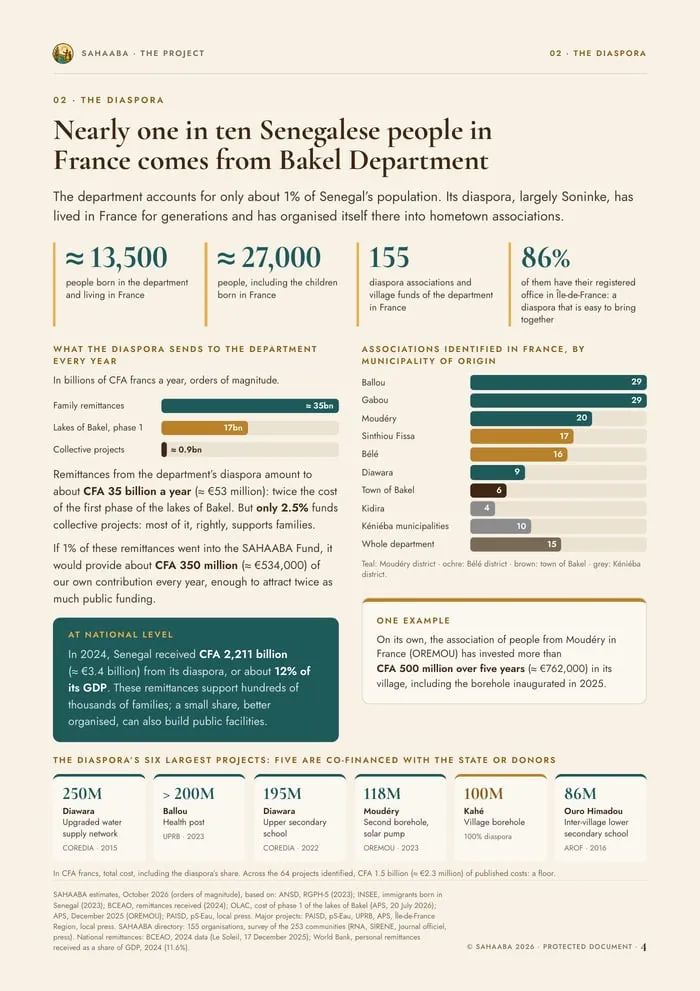
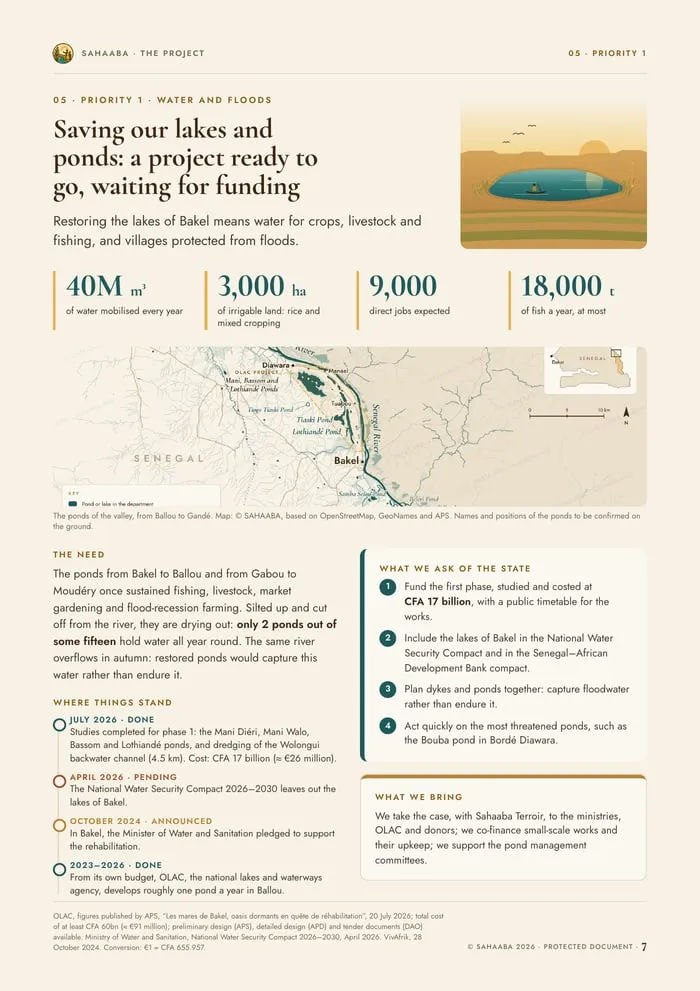
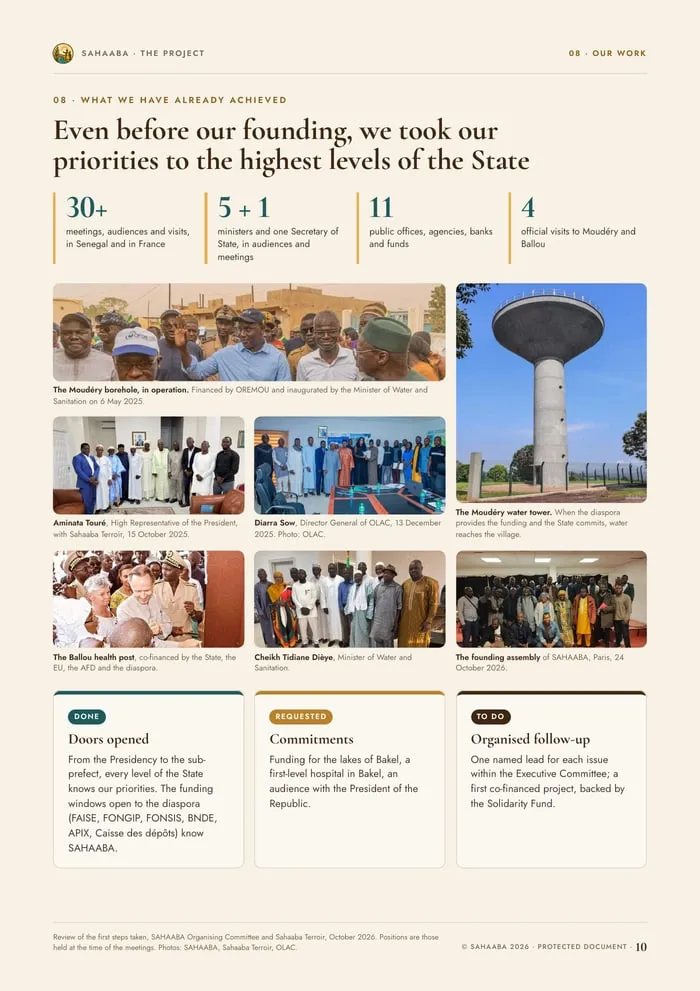
Twelve illustrated pages, fully sourced, setting out the association’s project: the territory and its diaspora, our three priorities, what we have already achieved, our governance, and what we propose to each of our partners.
For our members, our partners and the public authorities.
Contents
Ten chapters, from the challenge to the commitment
- A rich territory, villages still waiting
- The diaspora, a force already at work
- The challenge: a scattered force
- SAHAABA, an answer born of the land
- Priority 1: the lakes and ponds
- Priority 2: a hospital in Bakel
- Priority 3: the river road
- What we have already achieved
- Transparent governance, a transparent fund
- Our proposals, your commitment
Authenticity
A protected document whose original anyone can verify
The project may be shared freely, provided the file is passed on intact: it can be opened and printed, but neither edited nor copied. The digital fingerprints (SHA-256) of the English and French editions are published below. If a single letter of the document changes, the fingerprint changes.
SHA-256 fingerprint of the-sahaaba-project.pdf52b82d7e9691cdabdea7de8ee1395350cba85d803f3a7958cd77ede2e235206d
Édition française, le-projet-sahaaba.pdfad9cb449fc0a443fe3c03e6a5d88ece475ab84403dad215aae79037d0de5a7c7
How can I check a copy I have received?
- On a Mac or on Linux, open Terminal in the file’s folder and type
shasum -a 256followed by the file name. - On Windows, open PowerShell in the file’s folder and type
Get-FileHashfollowed by the file name. - Compare the result with the fingerprint above. Identical: it is the original. Different, even by one character: the file has been altered. Please let us know.
In preparation
This page will soon be completed. It will present:
- The statutes and internal rules as adopted (PDF)
- The receipt of declaration and the publication in the French Official Journal
- The annual activity reports and the approved accounts
- The annual statement of contributions by community and the use of the Solidarity and Co-financing Fund